
 Search
The Lacima Help Centre is your central hub for support, product information, and learning resources across all Lacima solutions. With so much content available, including guides, documentation, training resources and FAQs, the All Articles page provides a simple way to navigate and quickly find what you are looking for.
Where to find it
You can open the All Articles page from anywhere in the Help Centre. Simply click ’All Articles’ in the top-right corner of any Help Centre page.

Selecting this option opens a page displaying the full list of published Help Centre support articles, allowing you to quickly explore available resources.
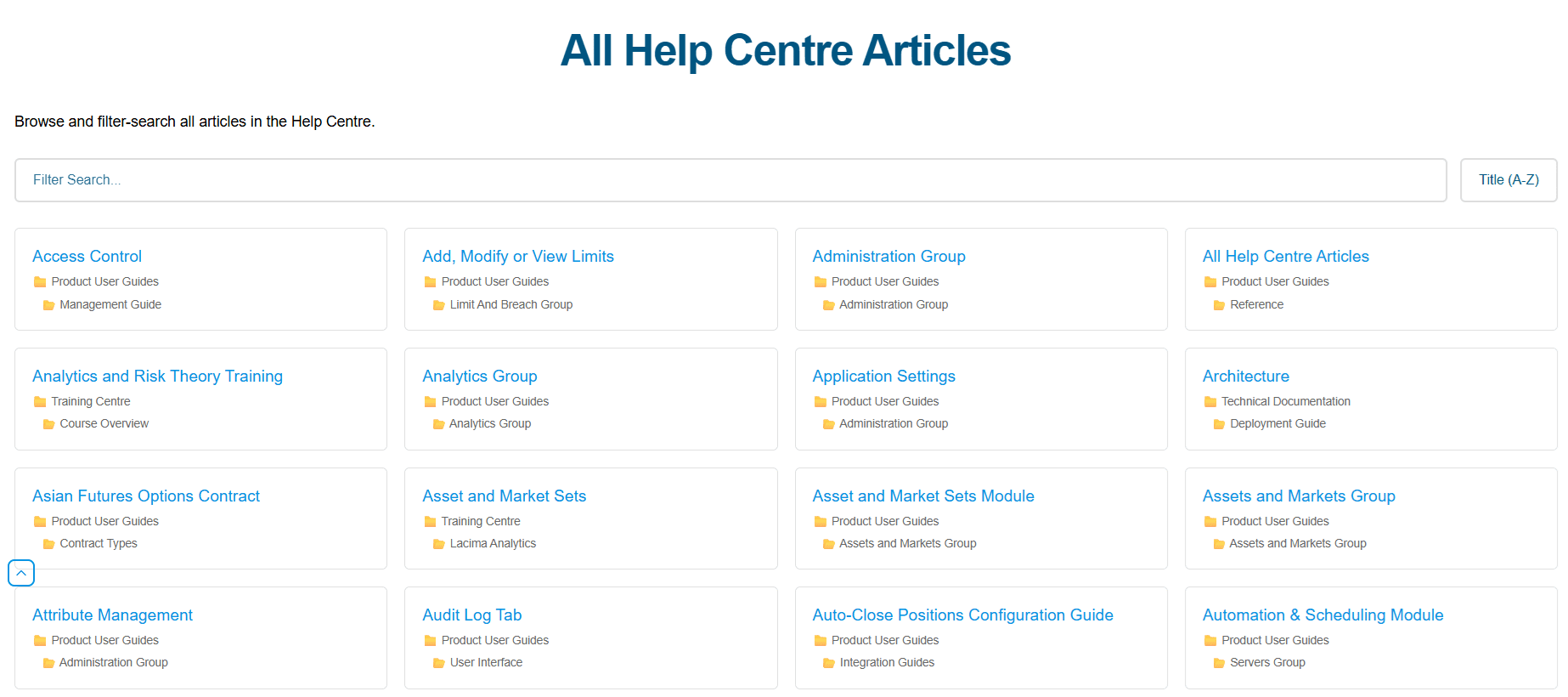
Browse or filter by keyword
From the All Articles page, you can either:
- Browse the full list of articles to explore available topics
- Filter by keyword to quickly narrow down results
For example, entering a keyword such as ’Contract’ will return articles where the term appears in:
- The article title
- The section name
- Or both
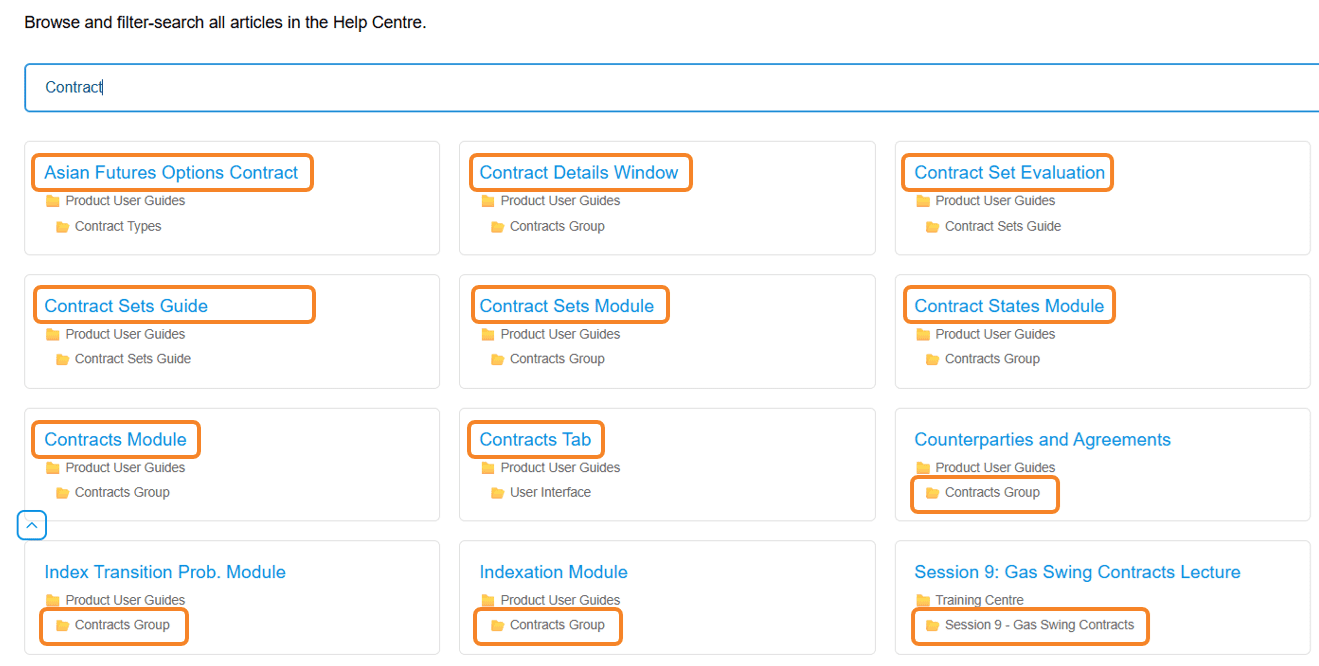
This makes it easy to locate relevant information even if you are unsure where the content sits within the Help Centre structure.
A simple way to discover helpful resources
Whether you’re looking for guidance on a specific topic, or simply exploring the available documentation, the All Articles view offers a quick way to navigate the Help Centre’s growing library of resources.
If you have not used it before, we encourage you to try it the next time you are in the Help Centre – you may discover helpful insights that help you get even more out of your Lacima solution.


